Plant-Floor Practical
Built for real line conditions, with diagnostics, reprints, and workflows operators can actually use.
Labelwright is pallet labeling software for automated production, warehouse, and distribution labeling systems. It connects label and order data, print-and-apply equipment, barcode and SSCC workflows, verification, reprints, production records, PLC integration, databases, and plant systems in one practical industrial solution.
Labelwright® is built to fit into production, not sit beside it. It helps manufacturers control label data, coordinate print-and-apply hardware, support operators, and keep finished goods moving with fewer disruptions.
Built for real line conditions, with diagnostics, reprints, and workflows operators can actually use.
Connect product and order data to labeling so the correct information reaches the correct load.
Support one line or multiple lines with cleaner label governance and better control across the plant.
Documented Labelwright work spans 217 production lines in 45 plants. The footprint reflects experience with focused plant-floor applications as well as large, multi-line and multi-plant manufacturing programs.
Much of this work has supported demanding beverage production, alongside Verona's broader controls and integration experience in food and commercial baking, automotive, and other manufacturing environments.
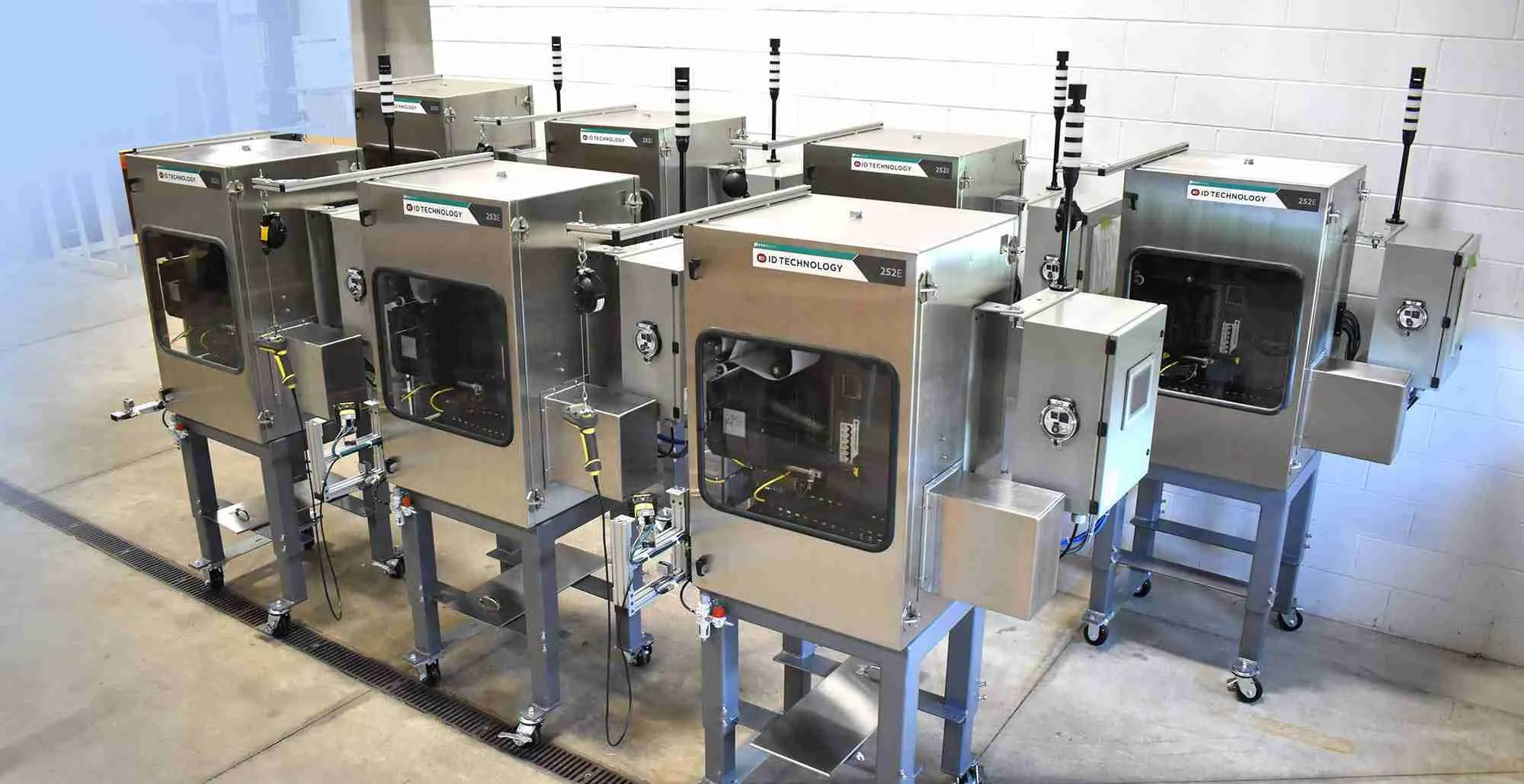
Software, controls, printers, applicators, and verification working as one coordinated system.
Labelwright® software is designed to manage automated labeling workflows while still giving your team flexibility when exceptions, changes, and reprints happen.
The web client supports the complete desktop workflow in a browser, including location assignment. The right choice is less about capability and more about how and where each user prefers to work.
Move through the platform one view at a time. Each screen is paired with the job it helps the production team complete.
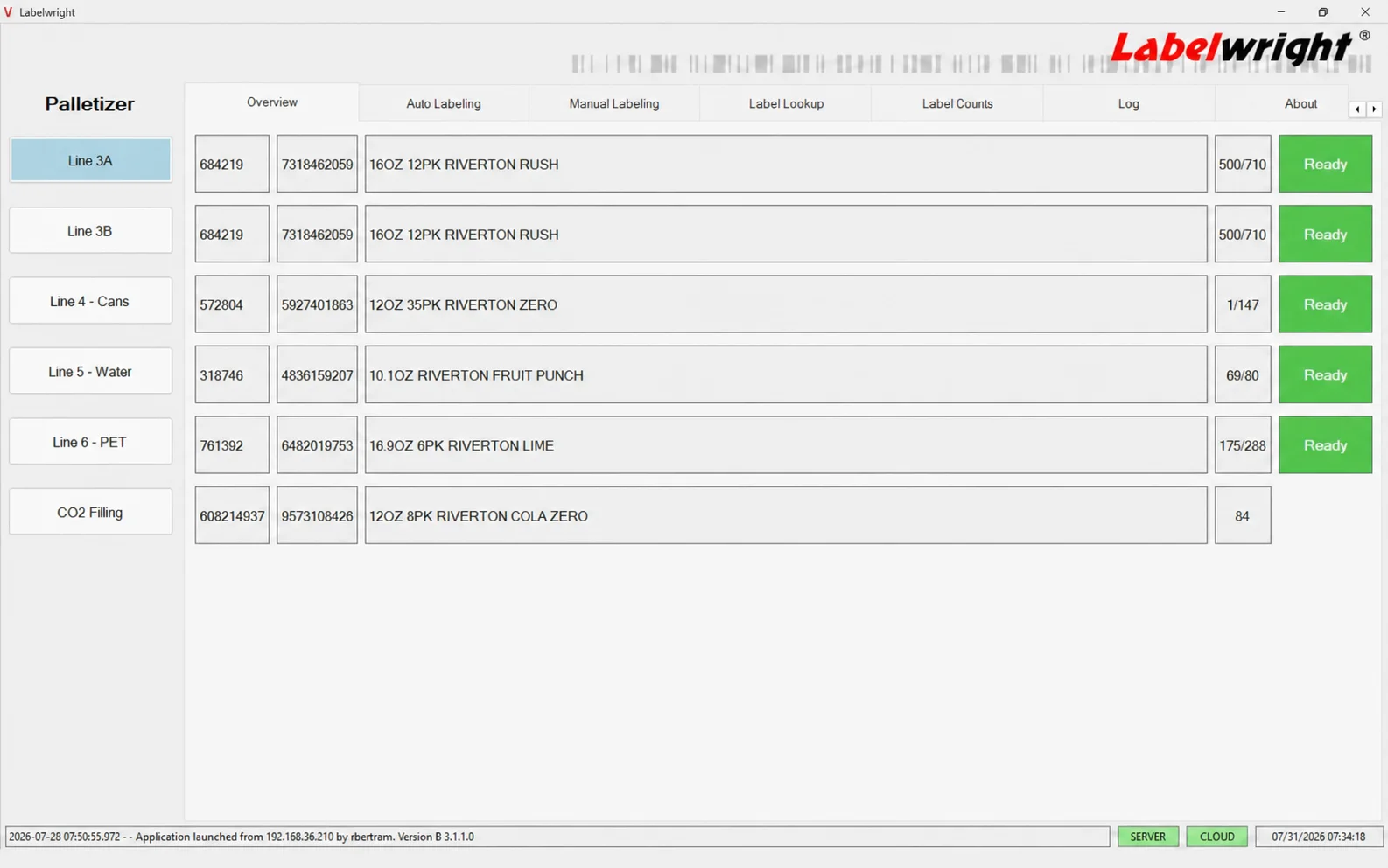
A fixed workstation gives operators a clear overview of active lines, current orders, progress, and the next action.
Best for dedicated line and control-room stations.
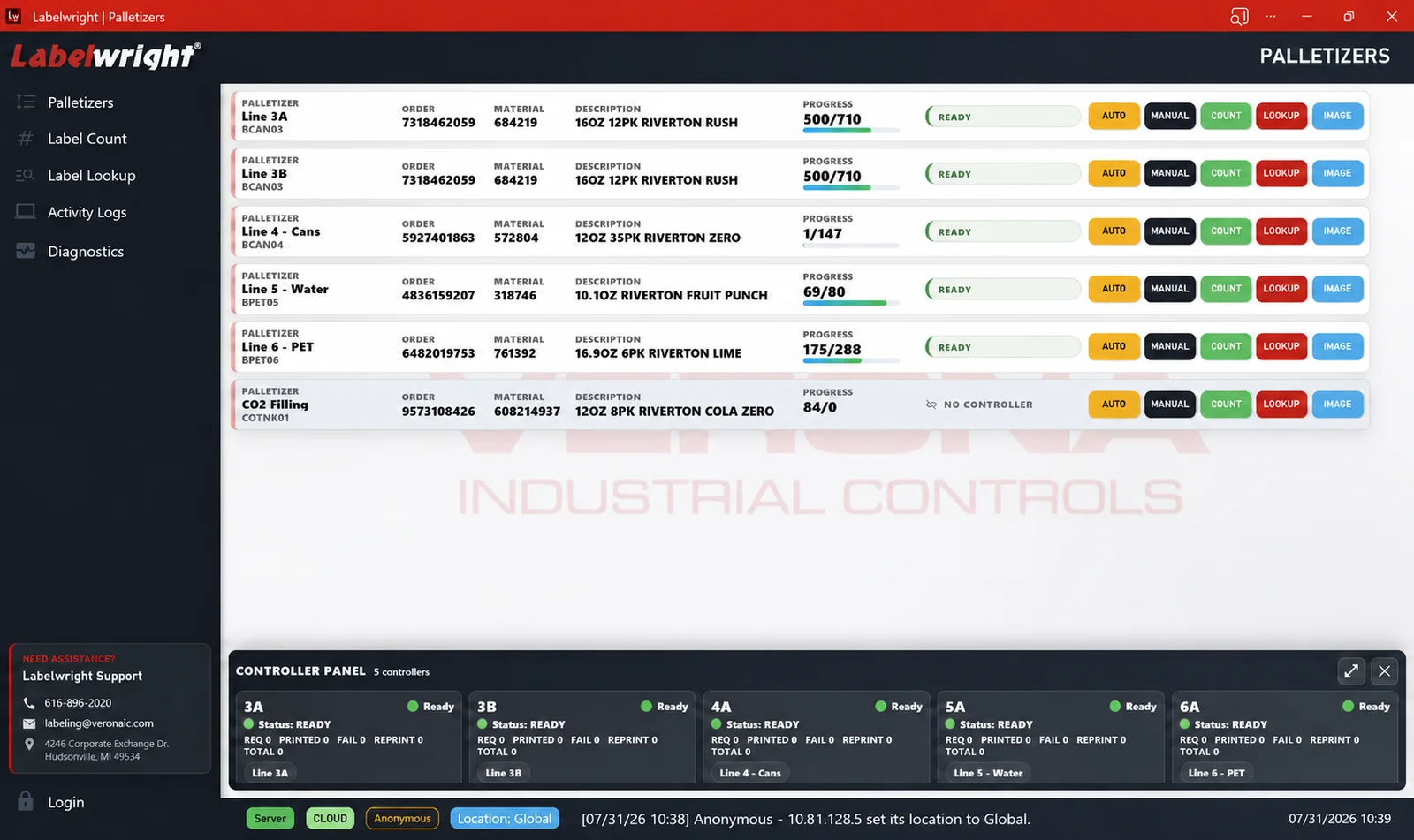
The responsive client keeps line status and controls available to authorized operators, supervisors, maintenance, quality, and support teams.
Use it at the line or from another authorized device.
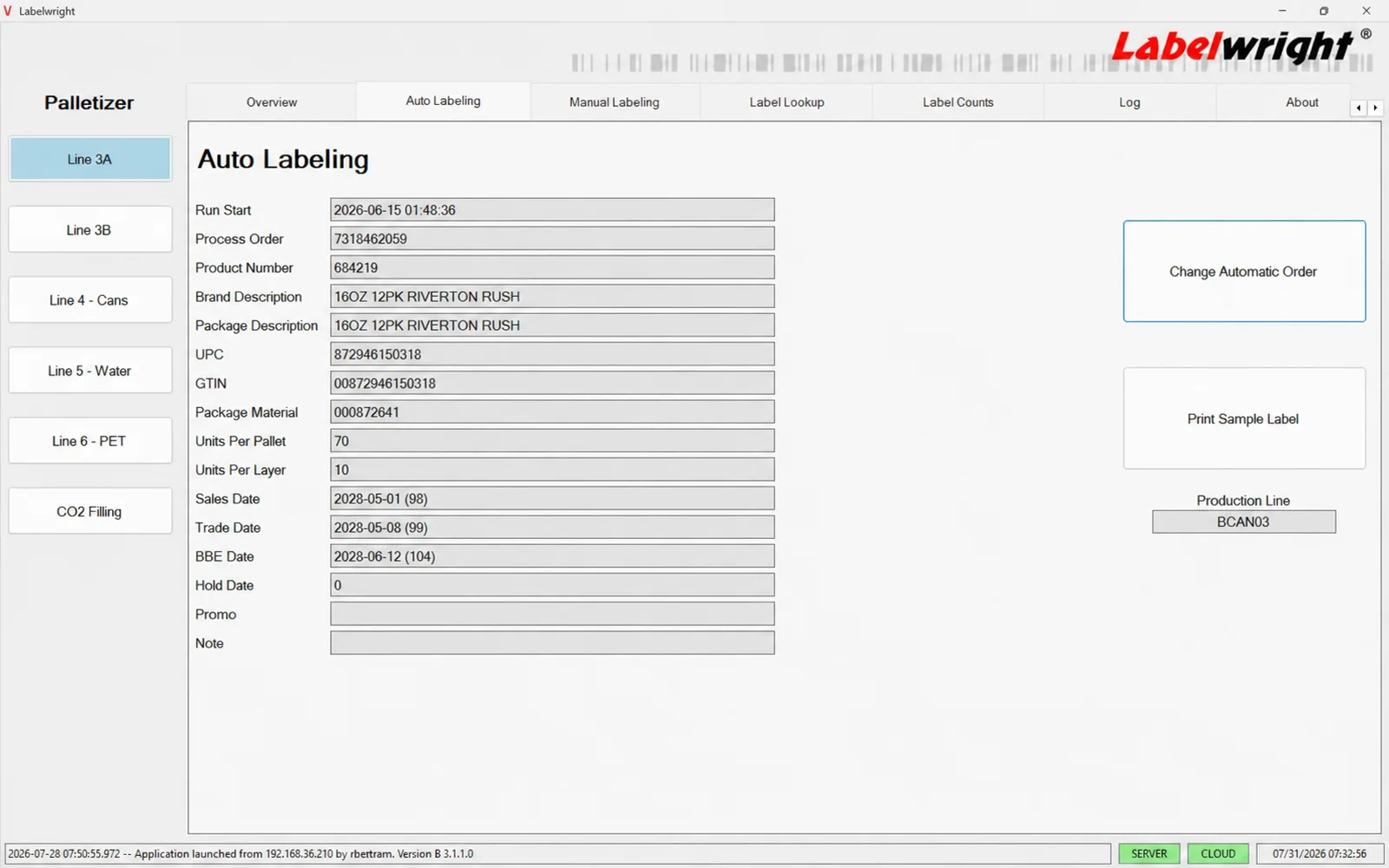
Review production data, change the active order, and print a sample before releasing labels to the line.
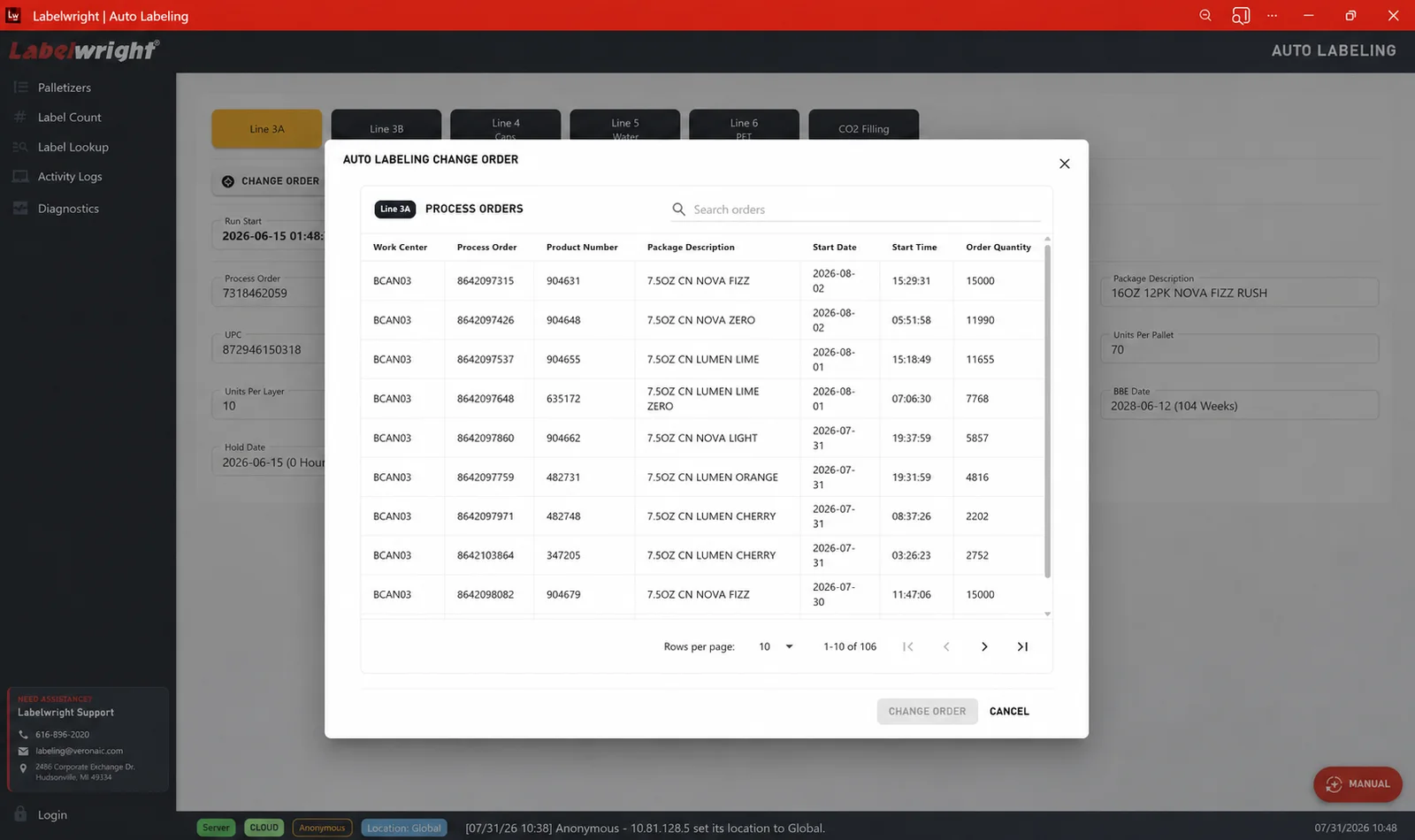
Select and confirm the next production order while keeping the relevant product and schedule details visible.
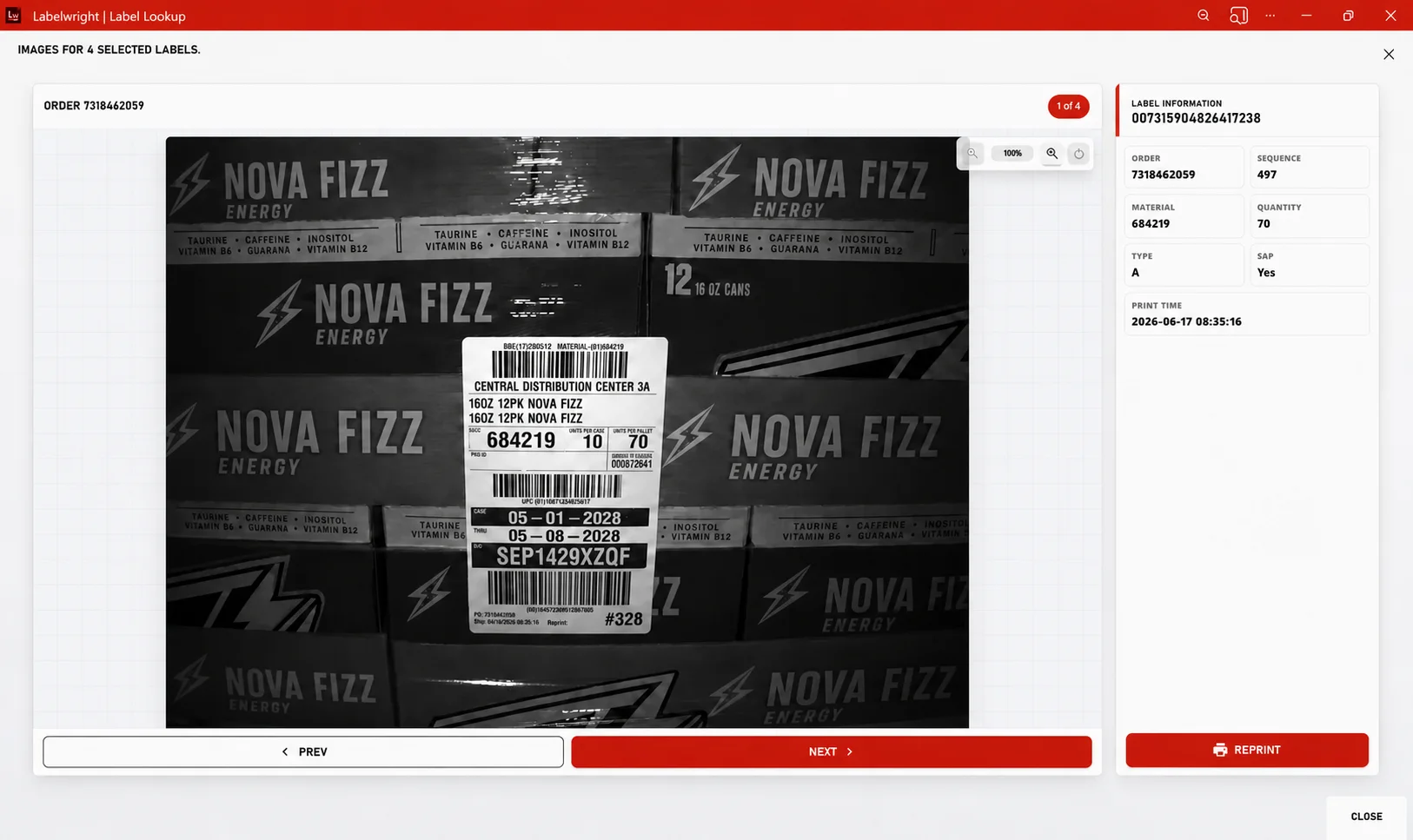
Captured images sit beside order, material, sequence, quantity, and print-time data so teams can verify what reached the pallet.
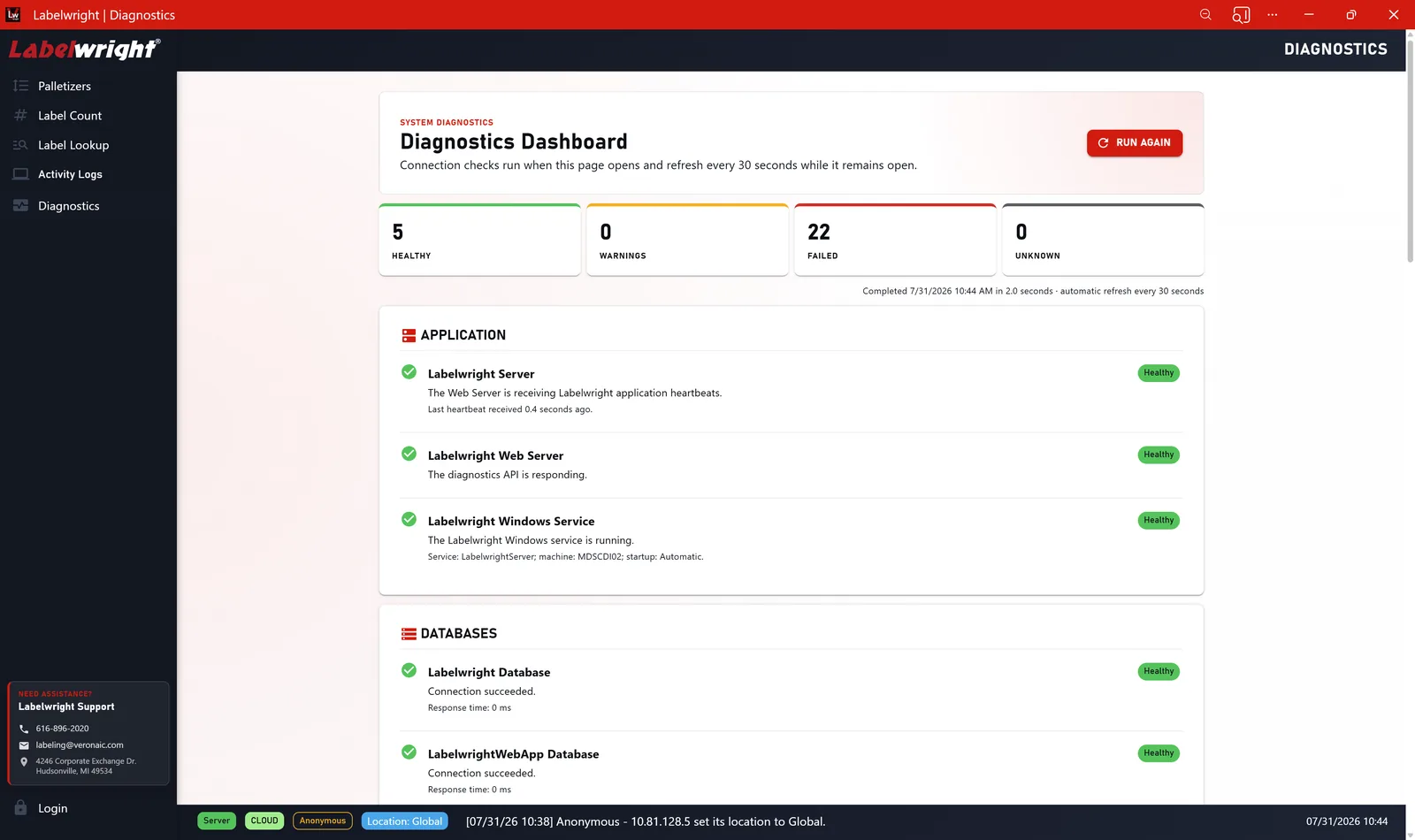
Server, data, controller, and service checks come together in one diagnostic view for quicker troubleshooting.
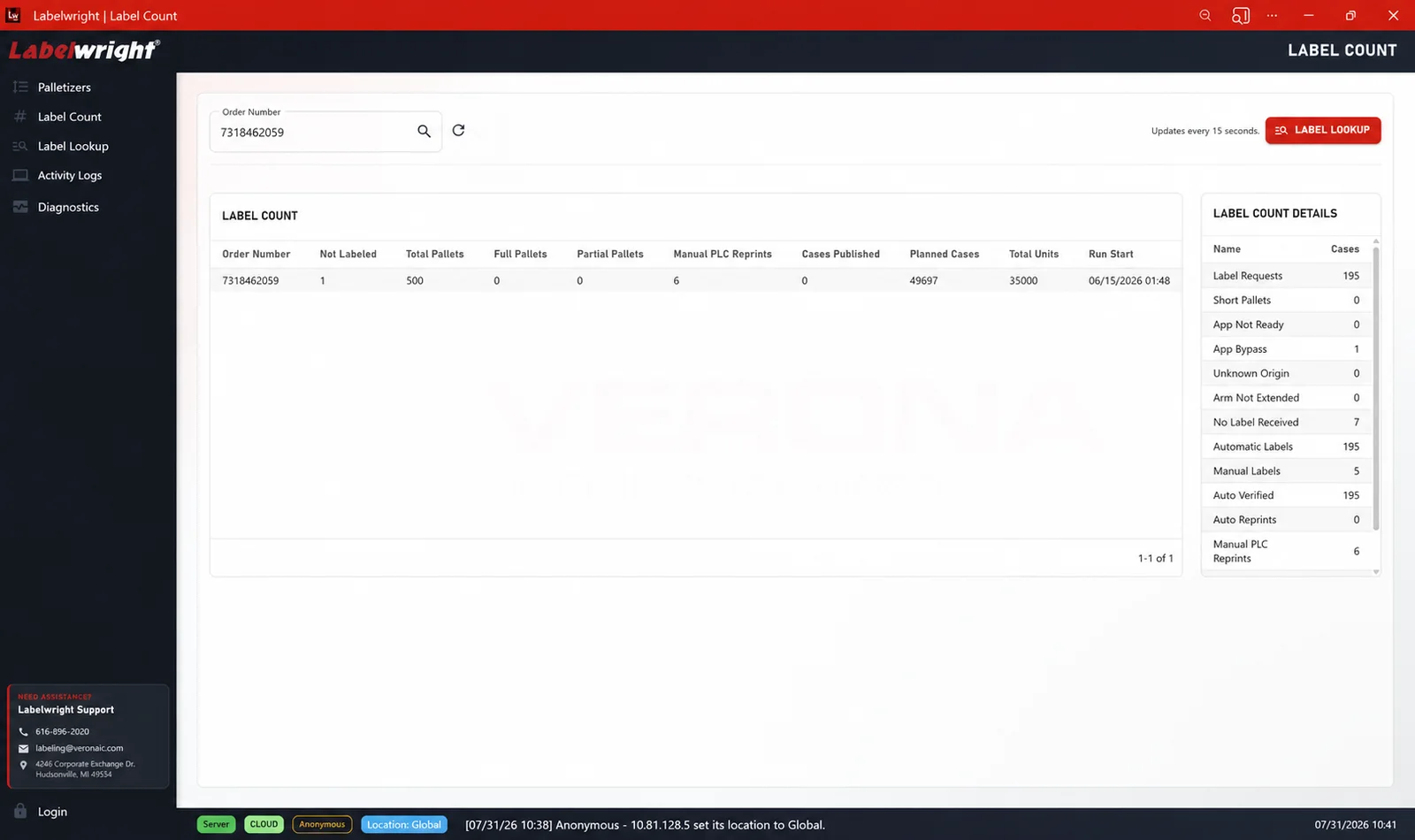
Search label totals and review count details by order without stepping outside the labeling platform.
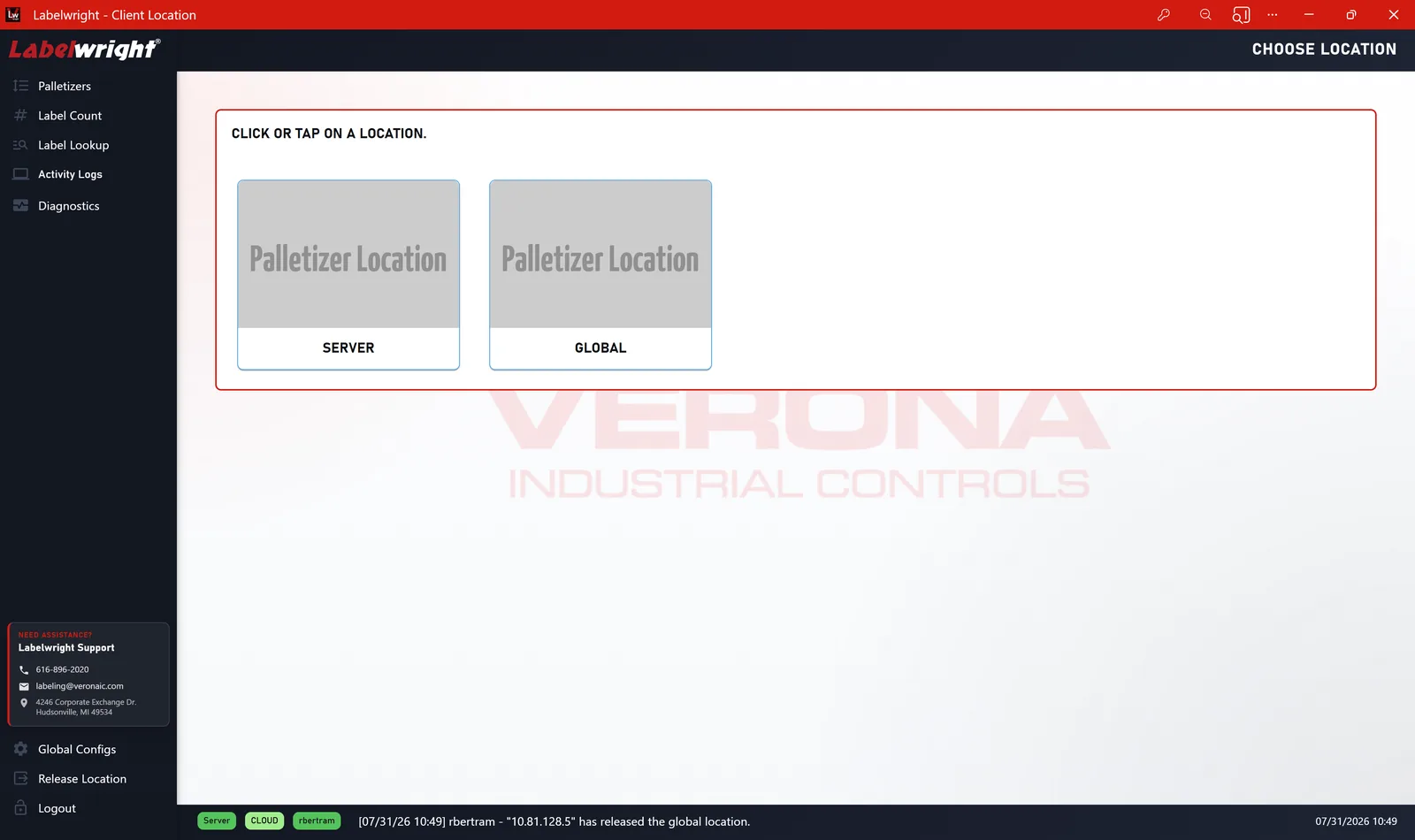
Organize locations, palletizers, printers, and permissions as the labeling deployment grows.
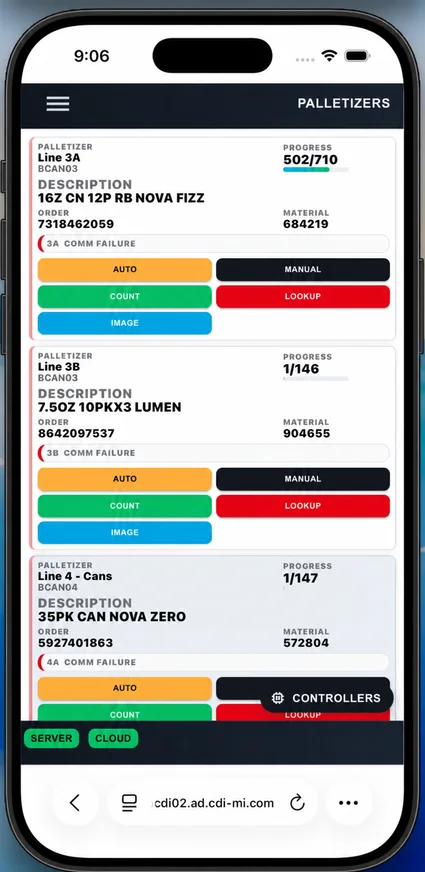
The palletizer overview adapts to iPhone and Android devices while retaining progress, material, order, mode, and quick actions.
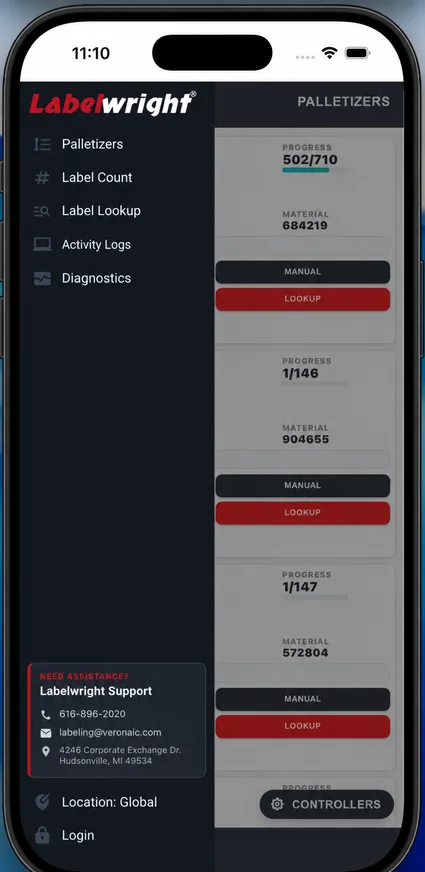
A compact navigation drawer puts palletizers, counts, lookup, logs, diagnostics, location, and support within easy reach.
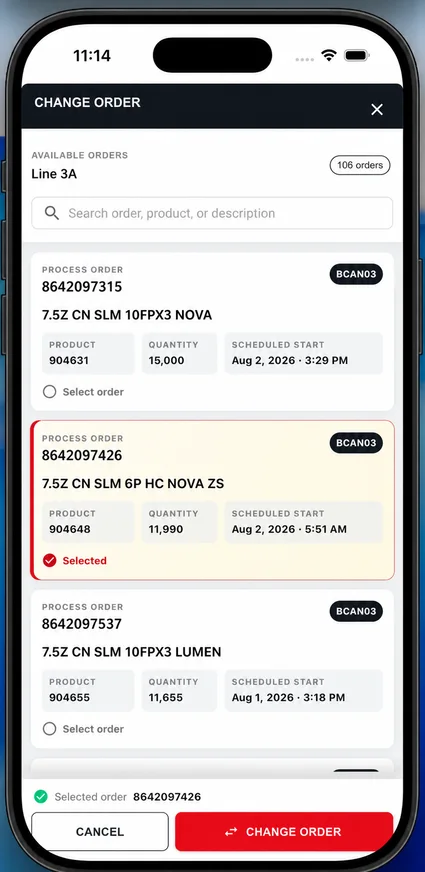
Search available orders, compare the production details, and confirm the selected order with a clear, touch-friendly action.
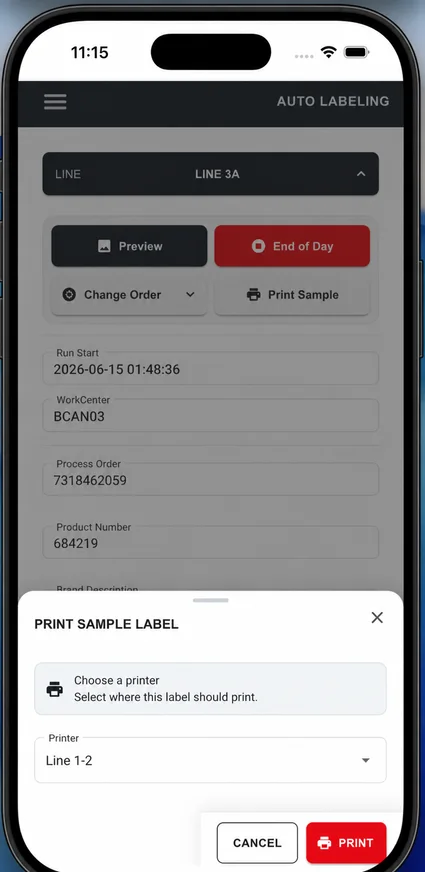
Choose the destination printer and produce a sample label without crowding the operator with unrelated controls.
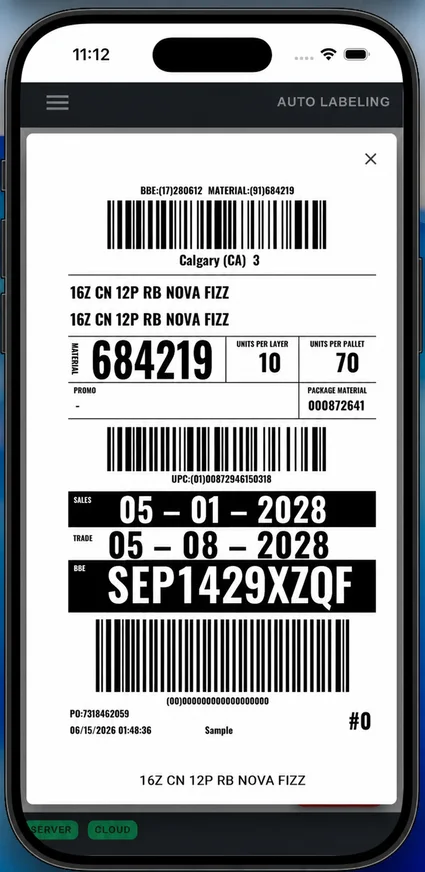
A full-height label preview makes barcodes, dates, product details, and human-readable values easy to check.
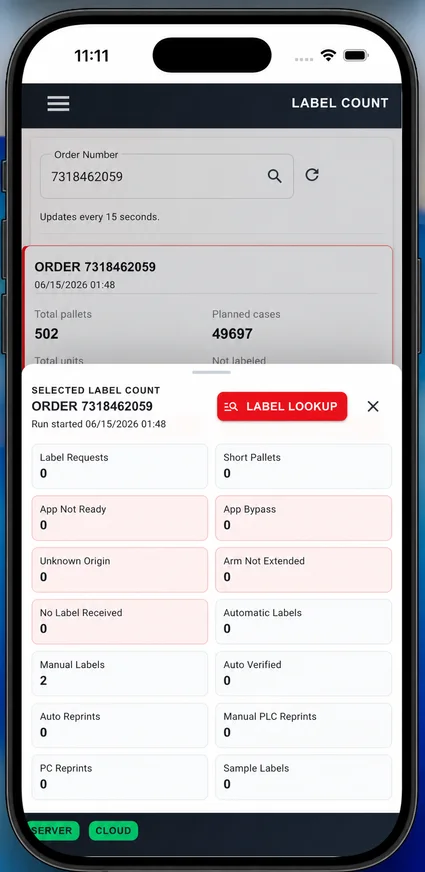
Order totals and exception categories remain readable in a mobile summary designed for quick production checks.
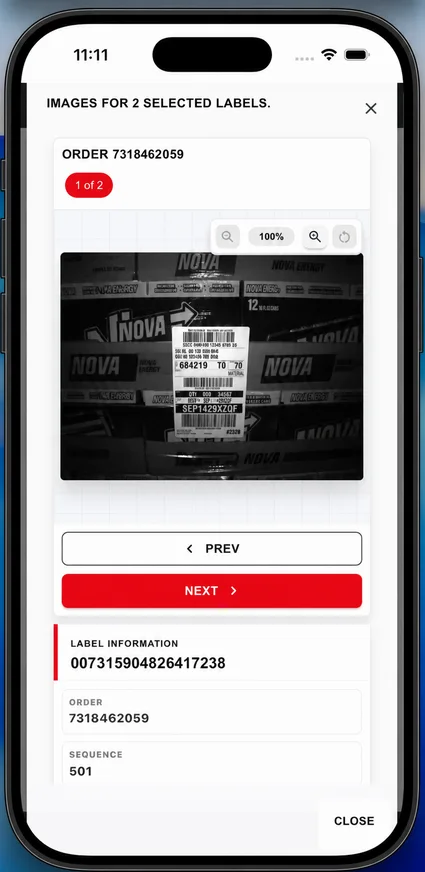
Step through captured images and review the associated label information directly from the phone.
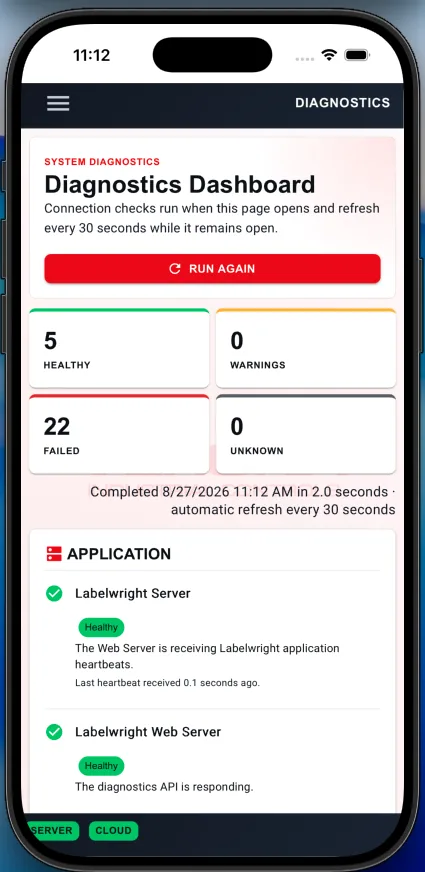
Health, warning, failure, and service details are grouped into a responsive dashboard that is useful beside the equipment.
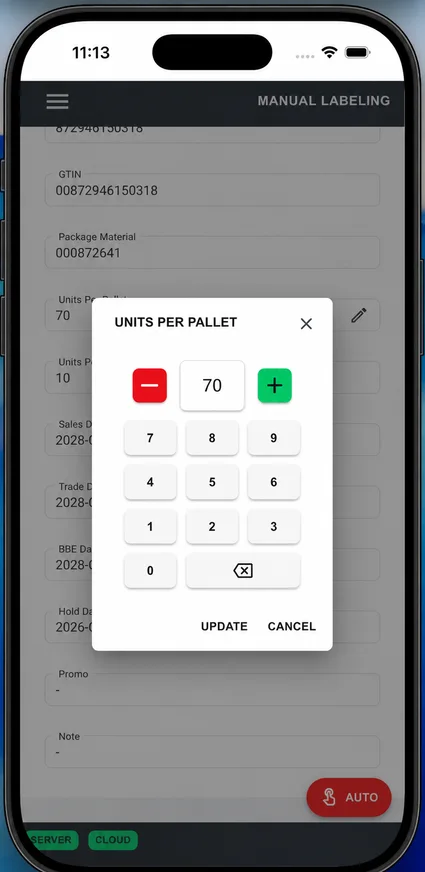
A purpose-built numeric control makes units-per-pallet changes deliberate and touch friendly.
| Decision point | Desktop client | Web client |
|---|---|---|
| Primary role | Dedicated production operation | Production operation and plant-wide visibility |
| Labeling workflows | Complete overview, auto/manual labeling, counts, lookup, and reprint workflow | The complete desktop workflow in a responsive interface |
| Location assignment | Available | Available |
| Additional visibility | Integrated workstation experience | Diagnostics, activity logs, image review, and role-based configuration |
| Common deployment | At the line or in the control room | At the line, on mobile, or from another authorized device |
The web client can serve as a complete Labelwright client. Facilities may still use both when fixed workstations suit operators and browser access suits other users.
Labelwright® is more than software. It ties together controls, applicators, printers, operator interface, and upstream data for a full production-ready labeling solution.
Industrial controls architecture coordinates labeling events with the rest of the line.
Provide visibility, troubleshooting tools, and machine-side feedback for faster recovery.
Connect to business systems, databases, flat files, printers, and verification devices.
Interface with applicators and conveyor systems through practical plant-floor integration methods.
The goal is simple: get the right data, generate the right label, apply it reliably, and keep a usable record of what happened.
Pull product and order information into the labeling workflow from plant or business systems.
Generate the correct layout and content for the product, case, or pallet being processed.
Coordinate print and application events with the hardware at the right point in production.
Support verification, store records, and allow controlled reprints when needed.
See how the platform fits within Verona's automated labeling solutions and pallet labeling systems, including industrial pallet labeling applications.
Whether you need pallet labeling, case labeling, barcode integration, print-and-apply coordination, or a more dependable plant-floor workflow, we can help design a practical Labelwright® solution.